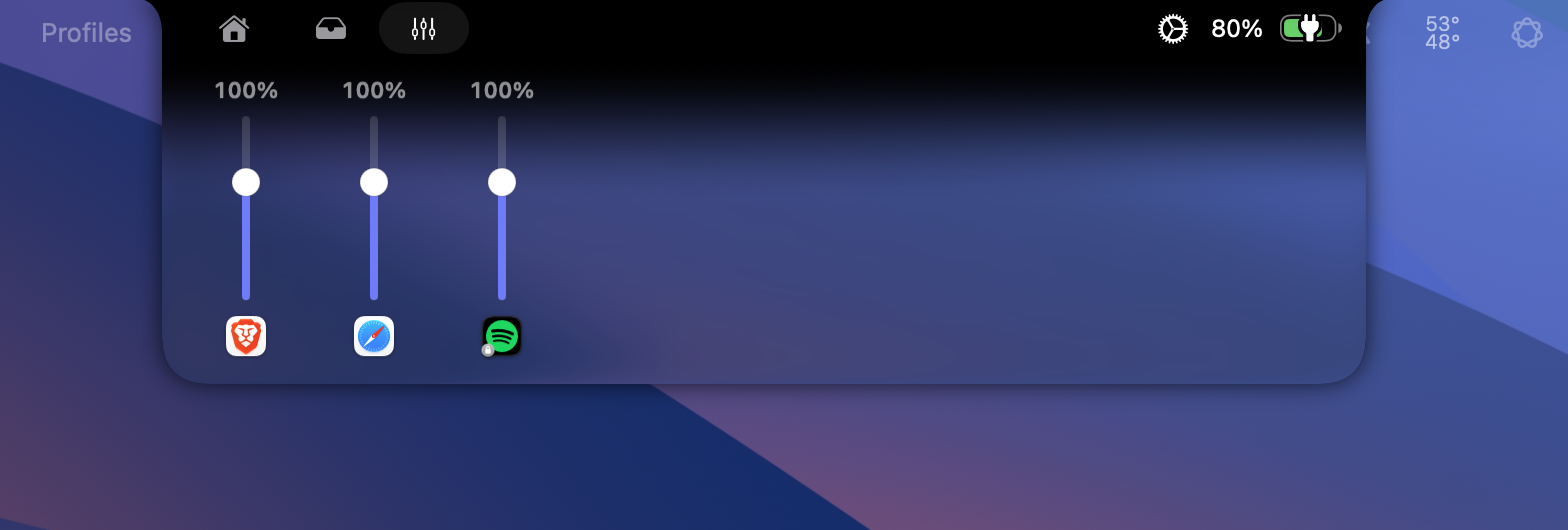
One fader for every app
Turn the call up and the music down. Each app playing sound gets its own fader, from 0 to 150%. There is no audio driver to install.
 DullNotch
 turns the MacBook notch into a Liquid Glass panel for music, widgets, a per-app mixer and a file converter. While it is closed, it shows what is in progress.
Free and open source. macOS 14 or later, Liquid Glass on macOS 26.
One fader for each app playing sound, from 0 to 150%. Drag them.
This one works. Point at the notch to open it, or tap it.
Four layers, from the content you see down to your desktop. Point at one to pick it out.
Everything from Boring Notch is still here: music, calendar, shelf, HUDs. These are new.
Turn the call up and the music down. Each app playing sound gets its own fader, from 0 to 150%. There is no audio driver to install.
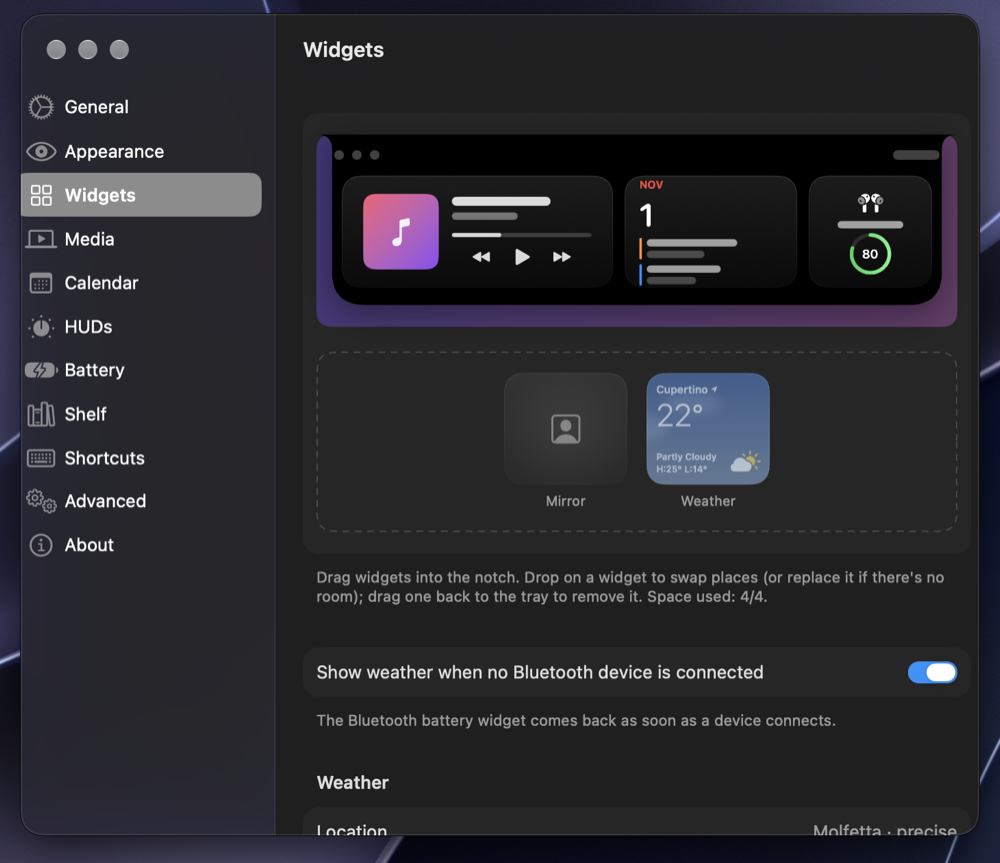
Drag widgets onto a live preview of the notch: music, calendar, weather, Bluetooth battery, system monitor, AI usage, mirror or a quote. One large and two small fit, and the notch resizes around them.
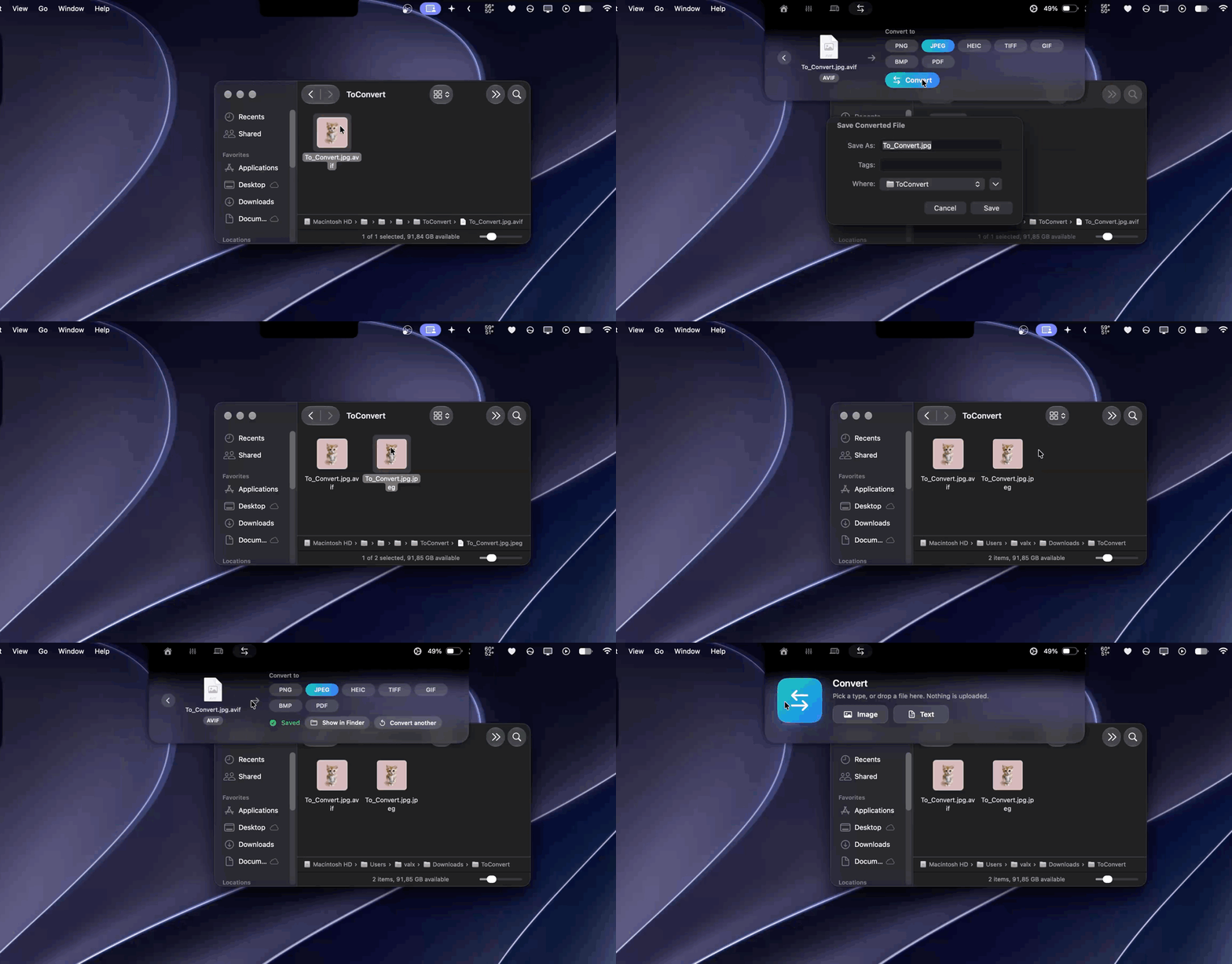
Images, text documents and PDFs convert on your Mac. Nothing is uploaded.
Claude's mascot types or hammers on the closed notch while Claude Code works, then takes a coffee break when it finishes. One click in Settings connects it.

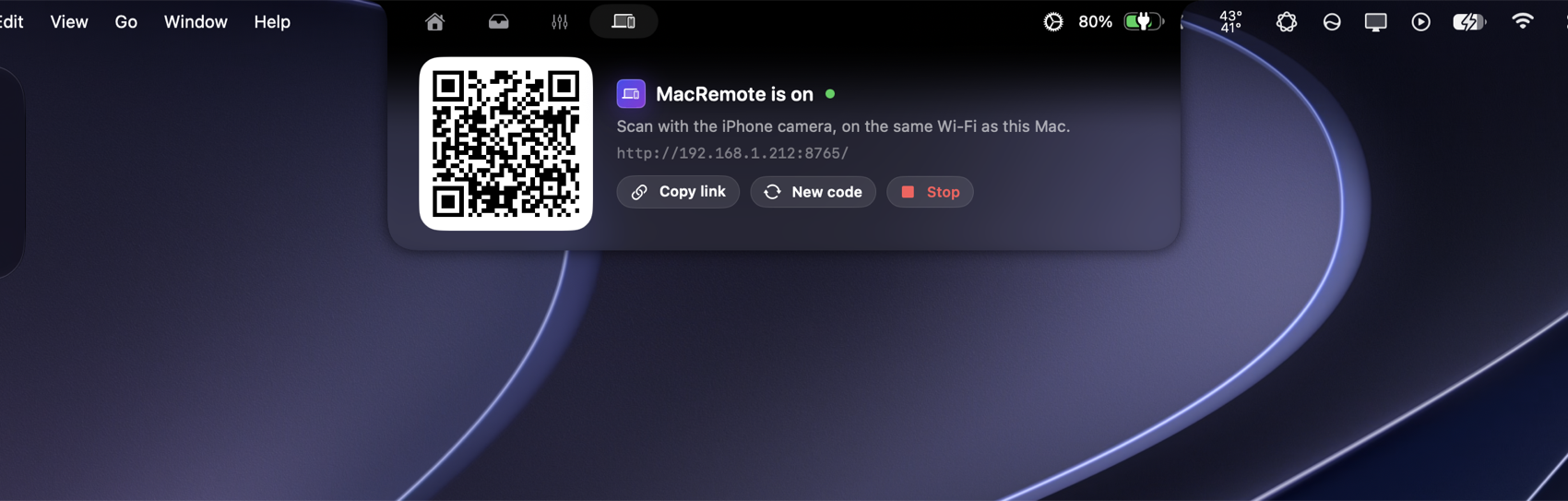
Start MacRemote from the notch and scan the QR code. Volume, media, keyboard and touchpad work from Safari on your phone, with nothing to install on it.
| Notch closed, nothing in progress | 0.0% of a CPU core |
|---|---|
| A timer running on the closed notch | Under 1% |
| Claude's mascot at work | About 2% |
| Liquid Glass | Drawn by the system: no screen capture |
Measured on a Release build on our Mac. Yours may differ.
Download DullNotch.zip from the latest release and unzip it.
Drag DullNotch.app into Applications.
If Boring Notch is installed, quit it first: both apps use the same identifier.
Open it, then allow it in System Settings, under Privacy & Security, with Open Anyway.
The app is not notarized by Apple, so macOS blocks the first launch. This command does the same:
xattr -dr com.apple.quarantine /Applications/DullNotch.app